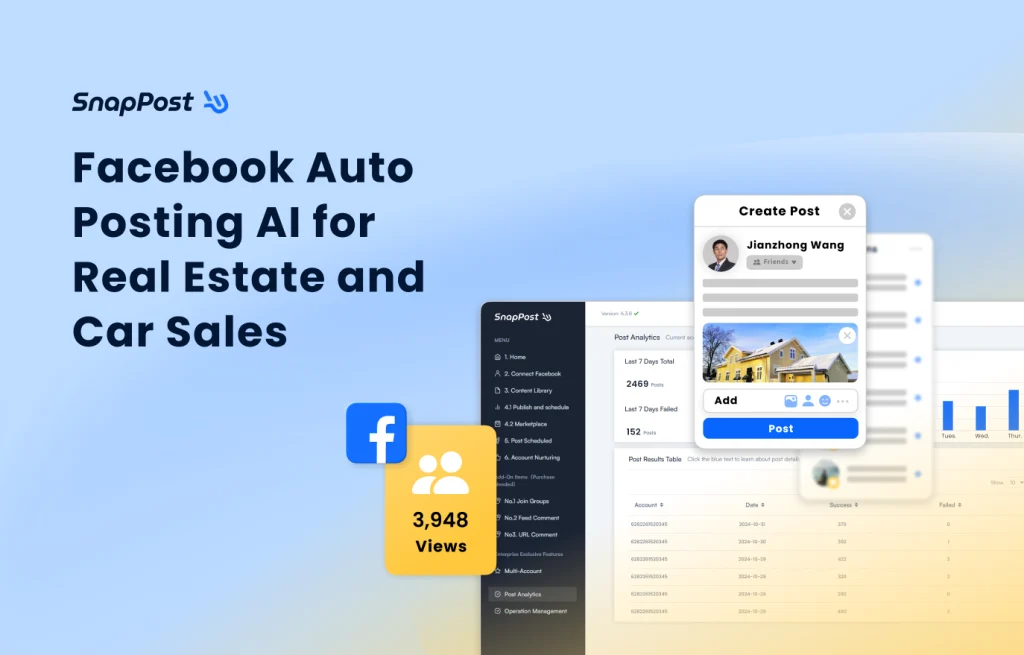
In the fast-paced world of social marketing, time and visibility determine success. Real-estate agents, car dealers, and online sellers face the same challenge, spending hours manually posting listings, switching accounts, and resharing across countless Facebook Groups. As AI transforms the marketing landscape, automation has become essential rather than optional. Businesses that embrace it stay ahead; those that resist fall behind.
SnapPost was designed for this new era, a professional Facebook auto-posting AI system that safely automates repetitive posting tasks, allowing you to maintain consistent visibility while focusing on your core business: building relationships and closing sales.
What is SnapPost?

SnapPost is a specialized Facebook Group auto-posting AI developed by SnapPost LLC. in 2022 (in Taiwan) . Unlike generic social tools, SnapPost is engineered for high-frequency, high-precision posting, which is ideal for real estate, automotive, retail, and second-hand markets.
Over the past few years, the platform has empowered more than 1,800 professionals across 20+ industries, collectively publishing over 12 million posts. SnapPost’s goal is simple, helping businesses automate safely, maintain exposure, and scale marketing operations efficiently without breaching Facebook’s safety thresholds.
The Five Core Features
1. General Posting
Compose your caption, add images (and video where applicable), choose your Groups, and let SnapPost handle distribution. You can do unlimited posts with SnapPost. Consistent presence in relevant Groups drives organic reach without manual repetition.
2. Buy and Sell / Marketplace Posting
Purpose-built for listings: add title, location, price, item details once; SnapPost formats and distributes to Facebook Marketplace and your selected Groups. Best for: real estate listings, vehicles, and refurbished phones. You will get clearer data, faster coverage, fewer human errors, and higher inquiry quality.
3. Auto-Share to Group
Stop copy-pasting. With a click, SnapPost shares to multiple Groups using safe intervals and human-like pacing, boosting impressions without tripping platform defences. Wider distribution, steadier top-of-feed presence, less manual effort.
4. Auto-Scheduled Posting
Schedule your posts, for example, 09:00 / 14:00 / 20:00 (any of your custom slots) to match audience activity. SnapPost keeps publishing, even while you are offline, so your content does not sink beneath the feed. Pro tip: Stagger the same listing across time blocks rather than blasting 20 Groups at once. Safer and more effective.
5. Auto Account Nurturing
SnapPost simulates authentic user behavior to maintain trust signals:
- Browses 1–10 posts/day and interacts like a real user
- Auto-shares curated news/opinion to your profile
- Joins Groups gradually (e.g., five per 60 seconds on rotation)
- Randomized delays and rhythms to avoid bot-like patterns
Lower false-positive flags, healthier accounts, and more durable reach.
Real-World Results from Agents & Sellers
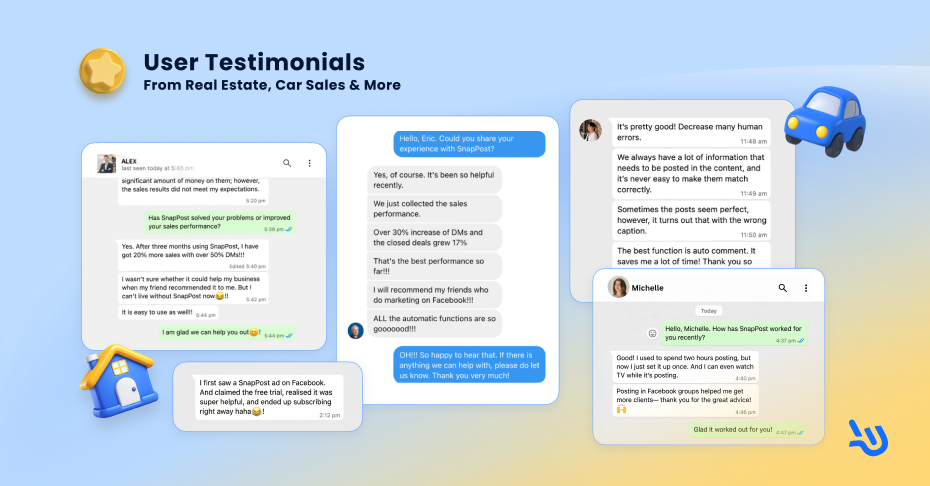
As of today, we’ve helped over 1,800 users across 20+ industries, mainly real estate and automotive agents. SnapPost helps many international clients and continues to grow globally. Check out what our clients are saying about us! 🚀
Property Manager -Alex(USA)
Alex, a property manager from the USA, shares how SnapPost helped boost sales and engagement after three months of use.
Clothes Seller -Amy (UK)
Amy, a clothes seller, sends feedback highlighting SnapPost’s auto-comment and reduce posting errors.
Used phones seller -David (China)
Used phone seller shares how SnapPost saved $300 per month and improved posting efficiency.
Real Estate Agent-Michelle (USA)
Michelle, a real estate agent, reports increased leads after automating group posts with SnapPost.
Motorcycle Dealers-Alan (USA)
Alan, a motorcycle dealer, describes better sales results after using SnapPost’s auto features with 30% leads and 17% closed deals.
Yoga Teacher-Annie (USA)
Annie, a yoga teacher highly recommends to everyone who run business on Facebook. SnapPost help work easier and more effective by auto-posting.
Safety & How to prevent being banned?
Many real estate agents are always concerned about:
“Post too many Facebook Groups, and your account gets restricted.”
“Post too fast and the system mistakes you for a bot.”
“Even worse, when your account gets locked, your clients might think you’ve vanished.”
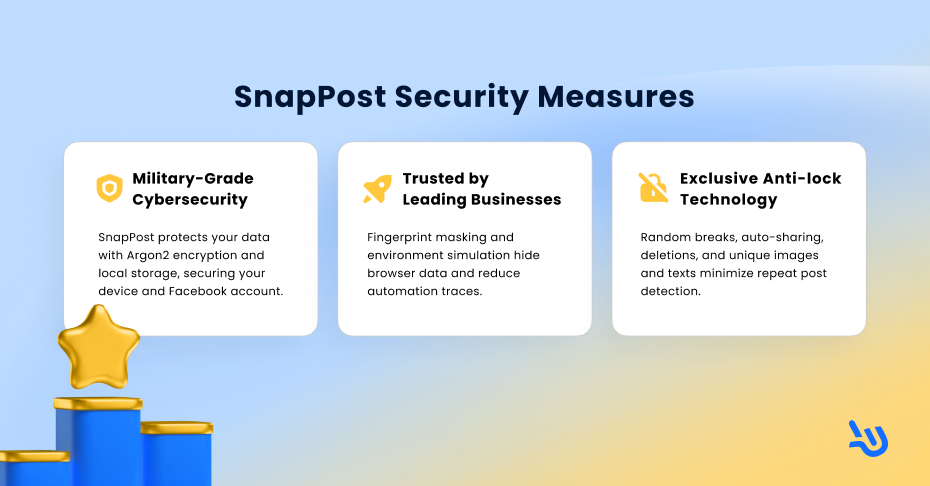
SnapPost is equipped with an anti-restriction system:
- Encrypted by design (Argon2): Credentials and data remain on your device under enterprise-grade encryption.
- Anti-fingerprinting: Human-like environment simulation reduces automation traces.
- Exclusive Anti-Lock Technology: SnapPost mimics human-like posting behavior with randomized images and text variations to safely bypass Facebook’s detection algorithm.
– Smart frequency control: Automatically inserts random breaks of 60–360 seconds between posts to reduce the risk of restrictions caused by repetitive or overly fast activity.
-Marketplace reposting & auto-delete features: Boost post visibility while lowering the chance of being flagged or limited.
– Marketplace hygiene: Auto-delete/refresh cycles keep listings current and compliant.
User best practices
Aside from the system’s built-in protection, users should also pay attention to their posting habits.
1. Post Consistently — Build a Daily Posting Habit
Use your account every day, post, reply to comments, and stay active. Over time, Facebook will recognize your account as genuinely engaged (which it actually is 😅). However, for real estate agents who need to post frequently across many Groups, consistency matters even more. Start with a steady daily routine and gradually increase your posting volume. Posting too much at once can easily trigger account restrictions.
2. Spread Out Your Posts — Use Auto-Scheduled Posting
Avoid blasting the same listing to 20 Groups all at once. Facebook may interpret this as spam or excessive advertising and restrict your posting privileges — or even lock your account. With SnapPost’s Auto-Scheduled Posting, you can safely spread your posts throughout the day, maintaining visibility while protecting your account from limits or bans.
Advanced Add-Ons for Power Users
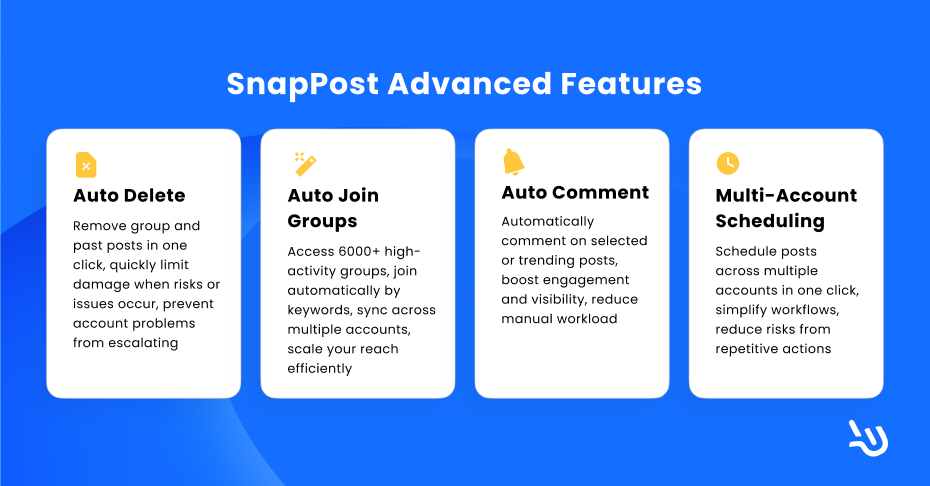
1. Auto Delete
Instant Post Deletion
Pro: Instantly remove all posts from your Facebook Groups with just one click.
Note : This action deletes every post across all Groups — please use with caution!
Activity Record Post Deletion
Pro: Clean up old posts by year or specific date range, and remove low-traffic content at the right time.
Note: This method cannot target specific Groups.
2. Auto Join Groups
SnapPost provides access to over 6,000 active Facebook Groups, helping you expand your business faster than ever.
With SnapPost’s Auto-Join Groups, you can:
- Search groups by keyword.
- Access a continuously updated and expanding group database.
- Use multiple accounts to join efficiently.
- Join up to 15 groups every 8 hours.
- Automatically answer group entry questions.
- Automatically accept group rules.
3. Auto Comment (two modes)
Do You Face These Problems?
- Low post engagement and few customer inquiries.
- Low click-through rate and poor Facebook reach.
- Spending hours manually increasing engagement but seeing little improvement.
SnapPost Offers Two Auto-Comment Modes
1. Targeted Post Comment
Paste the URL of the post you want to boost, and SnapPost automatically comments on it every day to attract more attention. Supports multiple accounts for higher visibility and engagement.
2. Popular Post Comment
SnapPost automatically identifies your top-performing Facebook posts, those with high likes and comments, and adds random, natural comments below them to showcase your listings to more potential customers.
4. Multi-Account Scheduling
Similar to the standard auto-scheduling feature, this function allows users to schedule posts across multiple accounts with just one click. No need to set up each account individually. (The number of Facebook accounts that can be linked varies by plan.)
Onboarding, Training & Support
Do you have these concerns?
- “It looks powerful, but I don’t know how to use it.”
- “What if I buy it and can’t figure it out?”
- “I’m not tech-savvy… this might be too complicated for me.”
- “I don’t have time to learn another software.”
SnapPost understands your concerns, and we’ve got you covered.
💡 Comprehensive Tutorials: Step-by-step guides for setup, posting, and analytics, everything you need in one place.
User-Friendly Interface: Clean, intuitive design. Get started in just three simple steps.
1-on-1 Customer Support: Personalized sessions that fit your schedule. We’ll guide you until you’re confident using every feature.
1-Day Free Trial + Free Training — try it first, decide later.
SnapPost offers a flexible monthly subscription — no contracts, no commitment, just results.
Add us on WhatsApp to claim your free trial:
WhatsApp:+886-968-695-839 https://wa.me/886968695839