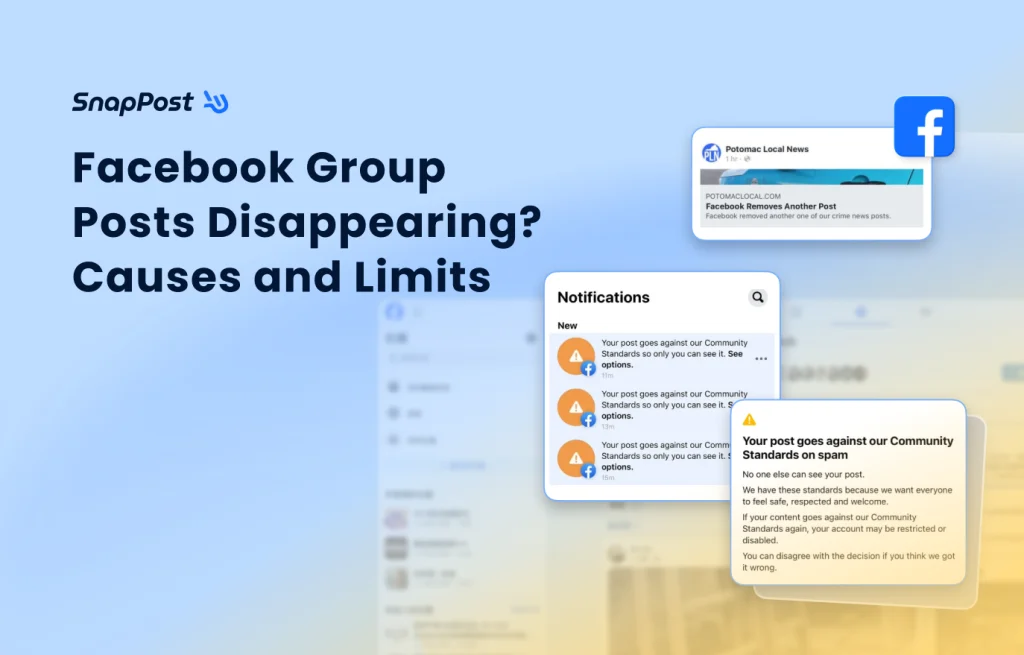
Have you ever spent time crafting the perfect post for a Facebook Group, only to have it vanish the second you hit “Publish”? Or perhaps it was live for a few minutes before being mysteriously deleted?
In most cases, it isn’t a moderator targeting you personally. Instead, it is Facebook’s built-in “Admin Assist” feature at work. To maintain group quality, admins set up automated rules to filter content. If you want to ensure your posts “survive,” this ultimate guide to Facebook Group posting is a must-read!
How Facebook’s Automated Review works
Group admins typically handle non-compliant content in four ways:
| Restricted Actions | Specific impacts |
|---|---|
Decline Post |
The post is blocked instantly at the moment of submission. |
Remove Post |
The post is published but later deleted automatically due to triggers or reports. |
Turn Off Commenting |
The post stays, but interaction is limited (usually for controversial topics). |
Move to Pending |
The post is held in a “Pending” queue for manual admin approval. |
The 4 Conditions that trigger Post Restrictions
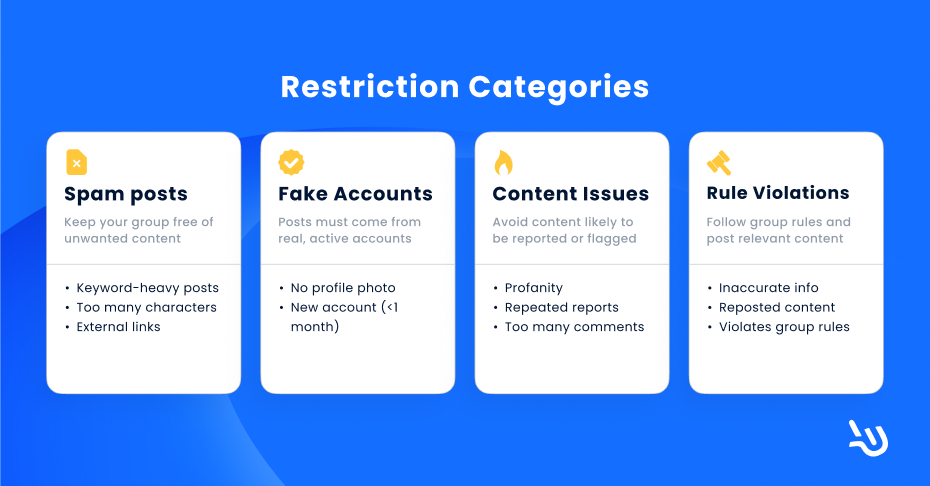
1. Spam Detection
- Keyword Filtering: Including banned words set by the admin (e.g., sensitive sales terms).
- Low Character Count: Posts with fewer than 10 words are often flagged as “low-effort spam.”
- Specific Links: Including blacklisted websites or high-risk external URLs.
2. Account Authenticity Concerns
- No Profile Picture: Accounts without a photo are frequently flagged as “bots.”
- New Accounts: Accounts less than 1 month old are high-risk. Strict groups may require accounts to be at least 3 to 24 months old.
3. High-Risk Content & Engagement
The system intervenes when a post triggers abnormal or hostile interactions:
- Frequent Reporting: If a post is reported more than 3 times in a short window.
- Comment “Explosions”: If a post receives over 100 comments within an hour, the system may lock it to prevent a “flame war.”
4. Violation of Group Rules
- Misinformation: Content flagged as “False Information” by third-party fact-checkers.
- Repeat Offenders: The author has violated group rules within the last 28 days.
- External Shares: Sharing posts from outside the group rather than creating original content.
Warning: The "Sensitive Information" Minefield
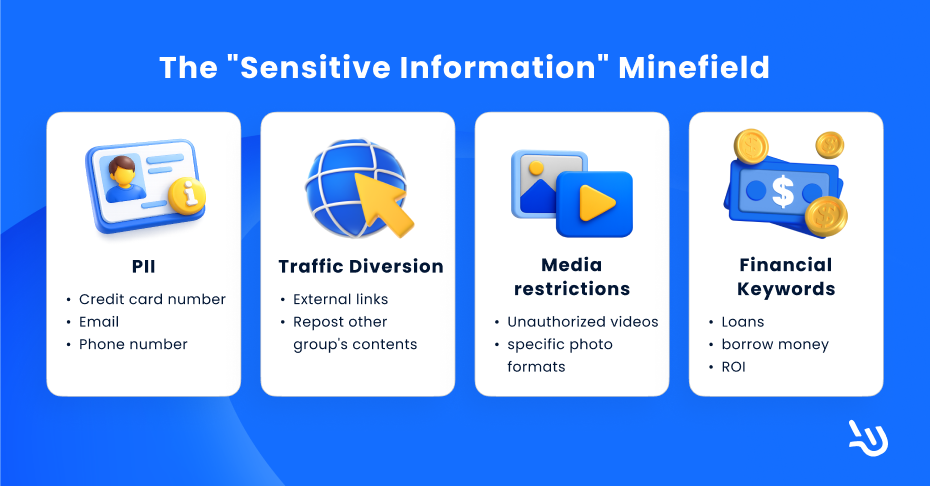
Besides the system default rule, the admin could also set hidden restrictions for specific content. If your post contains the following, it will likely be rejected:
- Personal Identifiable Information (PII): Credit card numbers, emails, or phone numbers.
- Financial Keywords: Loans, “borrow money,” or ROI (Return on Investment).
- Traffic Diversion: External links or re-sharing from other Fan Pages/Groups.
- Media Restrictions: Unauthorized videos or specific photo formats.
Consequences of Repeated Violations:
- Suspension: You are restricted from posting or commenting for a set period (e.g., 3–7 days).
- Banned: Permanently removed from the group; the group becomes unsearchable for you.
3 Tips for Facebook Group Survival
To post safely and maintain a healthy account:
- Maintain a “Healthy” Account: Ensure you have a profile picture and avoid using “throwaway” or brand-new accounts.
- Avoid Public PII: For transactions or contact, use “Direct Message (DM)” or “PM”. Never put your phone number or links in the public post.
- Respect the “About” Rules: Every group has a unique culture. Always read the “Rules” section to avoid posting prohibited content.
How to Create Your Own Facebook Group
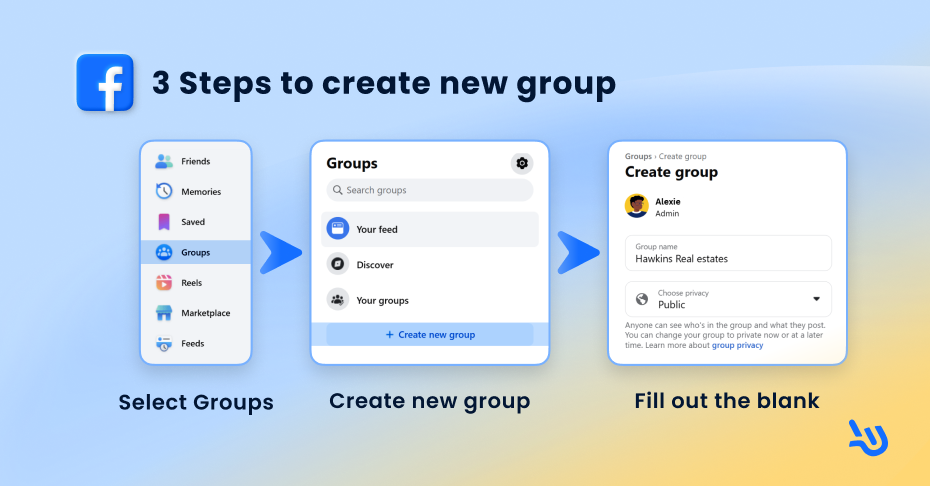
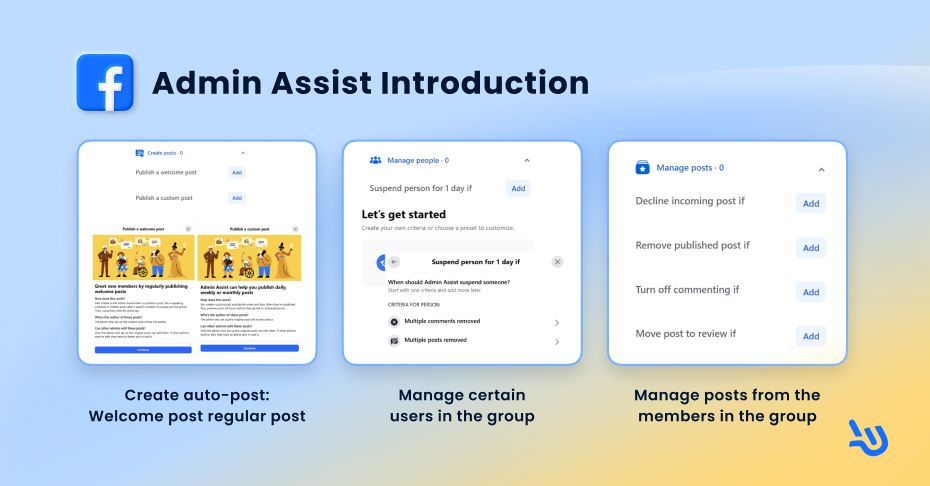
If you want to understand these filters better, try creating a group to test the Admin Assist tools:
- Select [Groups] from the left-hand menu.
- Click [Create New Group].
- Name your group and set your privacy settings. Once created, explore the [Admin Assist] tool in the left sidebar to see how posting criteria are set!
Conclusion
By following these guidelines, marketers can ensure their content reaches their audience while protecting their account’s standing.
Want to automate your Facebook marketing without the risk? SnapPost helps you navigate these rules with human-like posting rhythms!
🍀 Wishing you a smooth and successful marketing journey!